 Clouisle
Agent Capability Enhancement
Enhance an Agent step by step in the order of knowledge, tools, vision, files, memory, and user input requests.
Feature Overview
Capability enhancement turns an Agent from something that "can answer" into something that "can handle tasks". More features are not always better. Each enhanced capability should serve a clear business goal.
Use Cases
Suitable when:
- Answers must be based on internal knowledge
- External systems or platform tools need to be called
- Images, files, or structured input need to be understood
- Long-term user information needs to be saved
Prerequisites
Before enabling, we recommend confirming:
- The basic Agent can already answer ordinary questions consistently
- You know what problem each enhanced capability is meant to solve
- Related resources are ready, such as knowledge bases, tool credentials, and multimodal models
Steps
Step 1: Enable knowledge enhancement first
If the Agent's answers must be based on product documentation, policies, FAQ, or other official materials, enable the knowledge base first. This is the most common type of enhanced capability and usually provides the highest value.
We recommend first validating:
- Whether the correct materials can be hit
- Whether hallucinations are reduced
- Whether business questions are easier to answer
Step 2: Enable tool enhancement as needed
When the Agent needs to query data, trigger actions, or call external systems, connect tools. The key points of tool enhancement are not just "whether it can call the tool", but:
- When it should call the tool
- How to close the loop when the call fails
- Whether the returned structure can be correctly consumed by the Agent
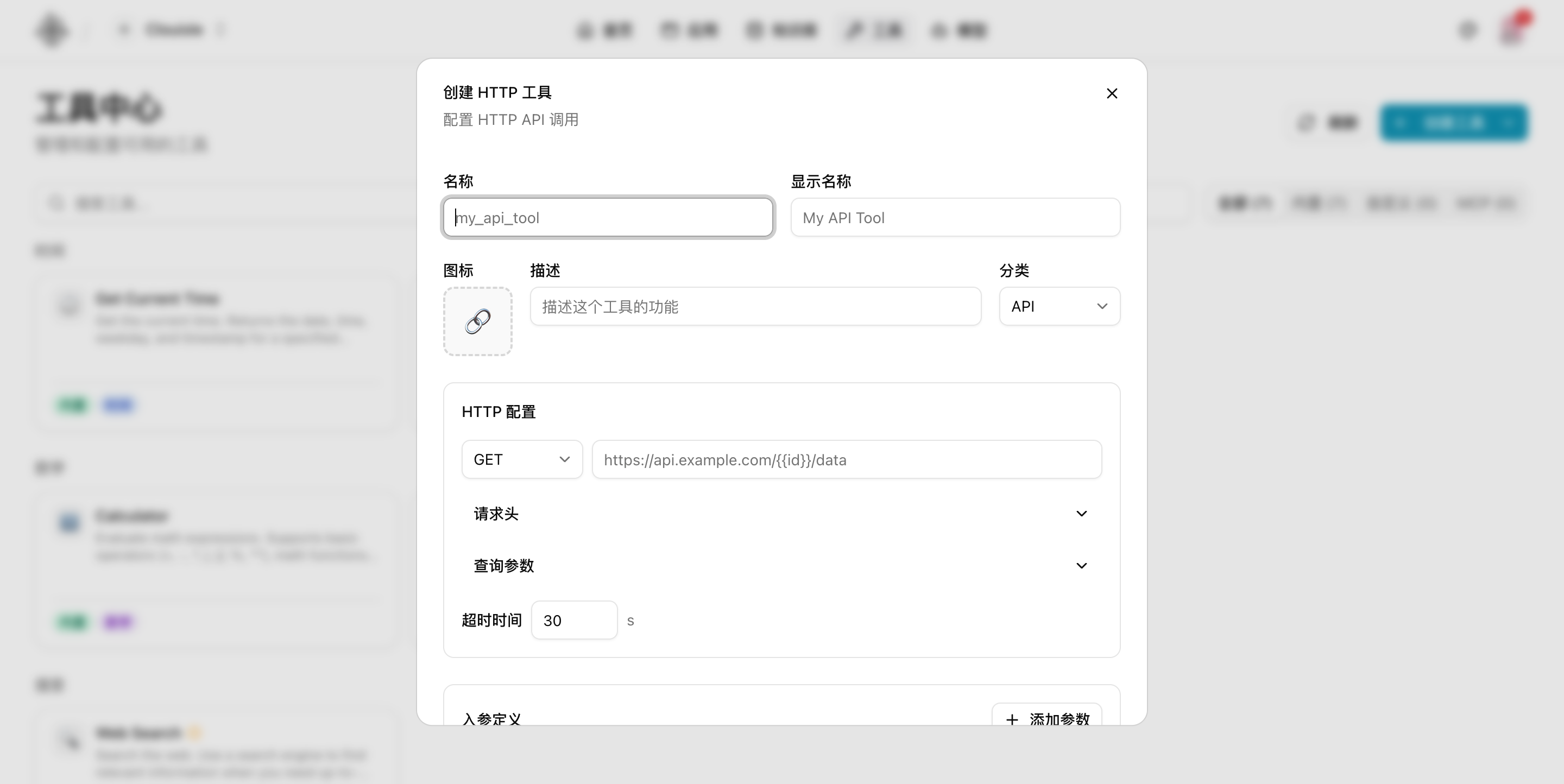
If this is your first time connecting an external interface, we recommend starting with a single HTTP API tool and first getting these items working:
- Request method
- Target URL
- Timeout
- Input parameter definition
After these are working, consider adding authentication and more complex response parsing.
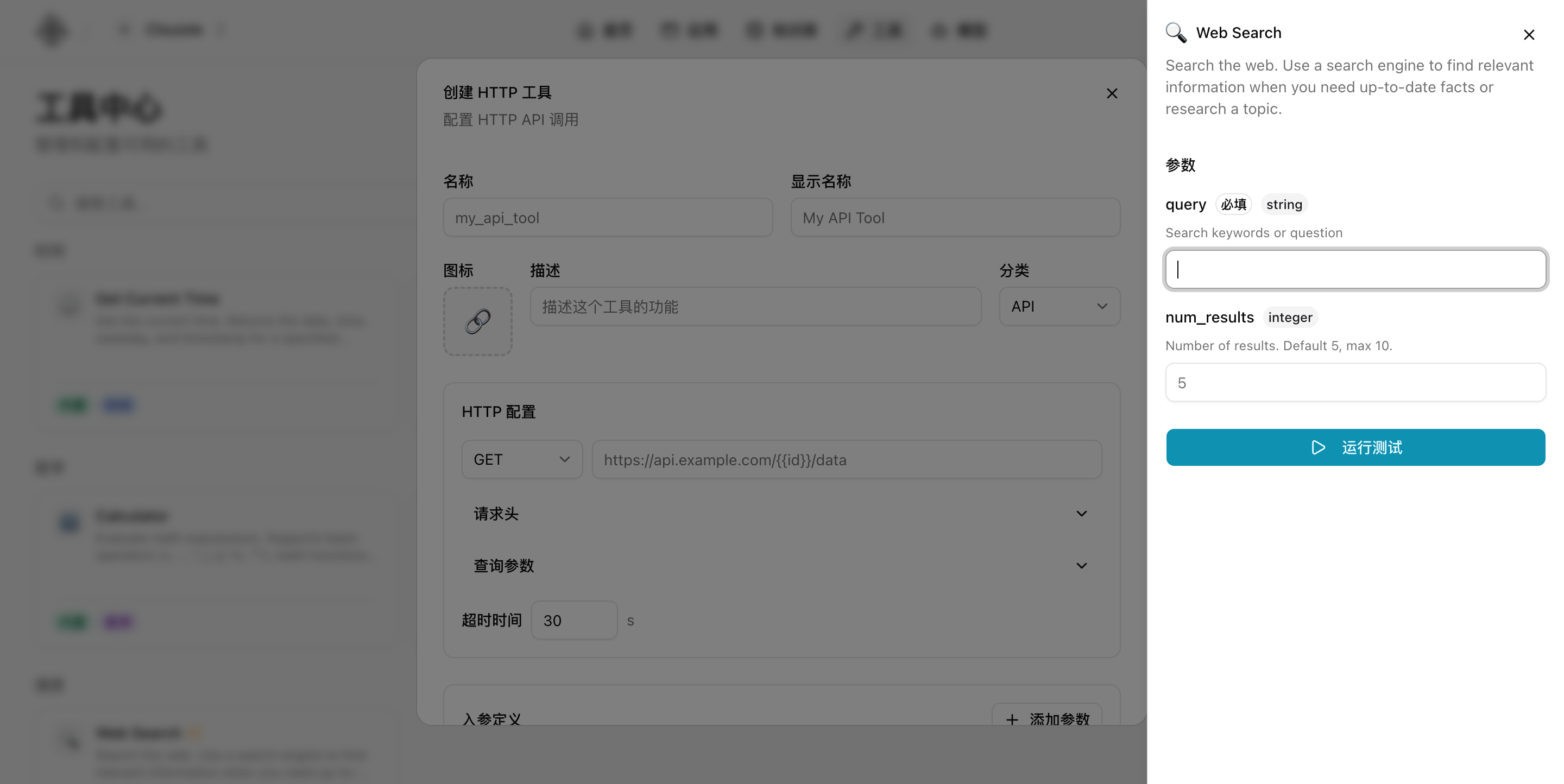
After saving the tool, also run a minimal test first to confirm that the input parameters and return results are controllable before deciding whether to let the Agent call it automatically.
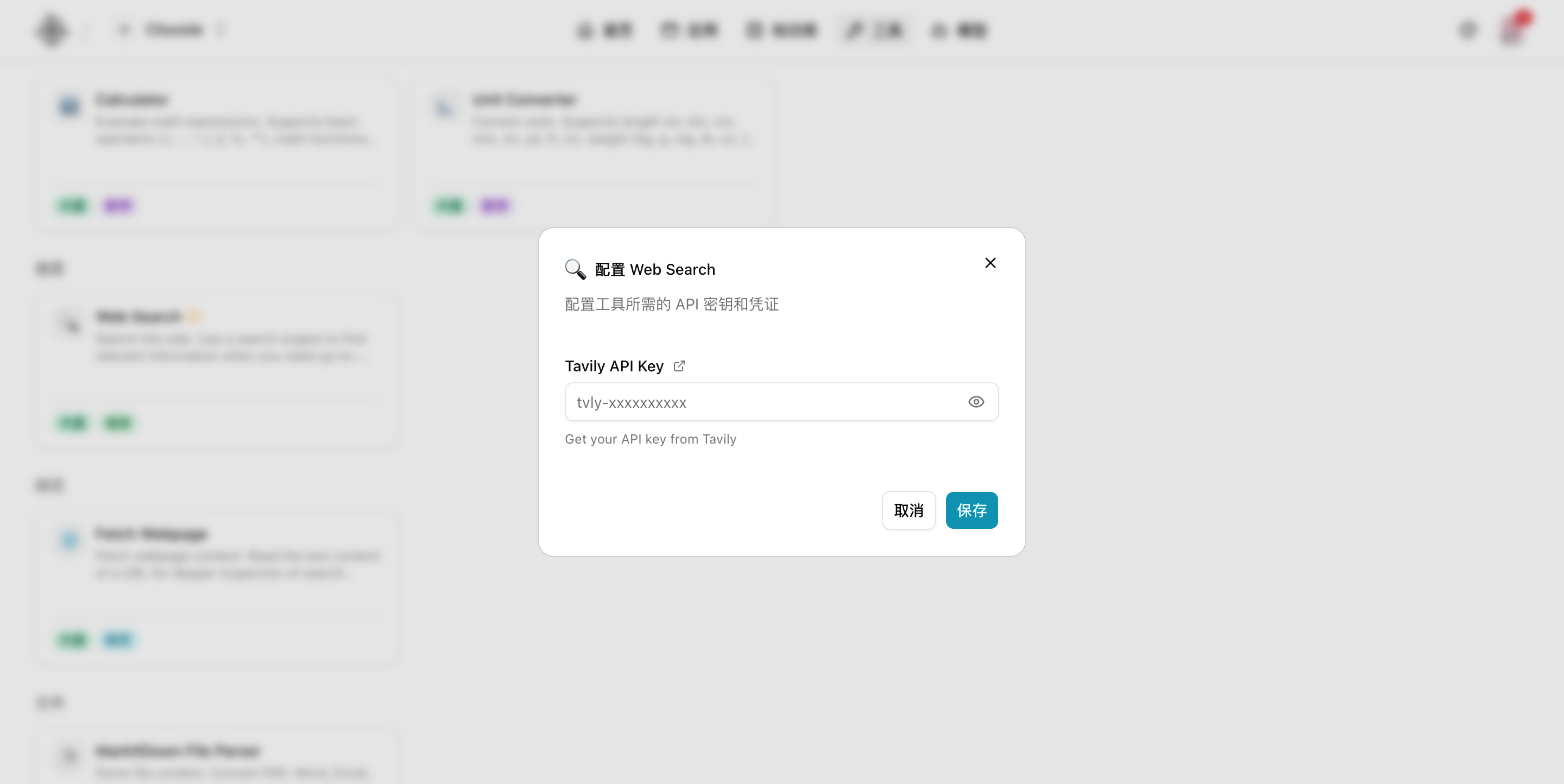
If the tool card shows "configuration required", return to the tool center first and complete the external credentials, such as the API Key for a search service.
Step 3: Enable vision and file capabilities only when the business needs them
Vision and file capabilities are suitable for:
- Recognizing image content
- Processing uploaded documents
- Extracting information from attachments
These capabilities usually increase model requirements, processing costs, and debugging complexity, so they should be enabled later.
Step 4: Evaluate memory capability in continuous interaction scenarios
If the Agent needs to serve the same user over a long period, save preferences, or retain project context, then consider enabling memory. The value of memory is continuity, and it is not suitable to enable by default for every scenario.
Step 5: Enable user input requests when the process needs to pause for more information
User input requests are suitable for scenarios such as:
- Key information is missing in the middle of a process
- User confirmation is required before continuing
- The Agent cannot infer the next step on its own
This capability can improve process controllability, but it should be built on a stable main flow.
Step 6: Run a separate regression test after adding each capability
The easiest way for enhanced capabilities to cause problems is adding too many at once. We recommend validating immediately after enabling each capability:
- Whether it actually takes effect
- Whether it affects existing answers
- Whether it introduces new error paths
Result Validation
After enhanced capabilities are configured, at least the following should be true:
- Each enhanced capability maps to a clear business requirement
- Individual tests can confirm whether each capability takes effect
- Enabling them does not obviously break the stability of basic answers
FAQ
Why do results become less stable when more capabilities are enabled?
Usually because enhanced capabilities were not validated one by one as needed, but stacked all at once, mixing the sources of problems together.
Why should knowledge enhancement come before other capabilities?
Because it most directly affects answer truthfulness and is also the capability most business scenarios need first.
Why should memory and user input requests be evaluated later?
Because these two capabilities significantly increase interaction complexity. If the basic flow is not yet stable, enabling them too early will quickly increase troubleshooting cost.
Notes
- Add only one enhanced capability at a time
- Run an independent regression test after each addition
- If the result gets worse, roll back capability by capability first to locate the problem
Agents and Applications
Create, configure, debug, and publish Agents in the order of actual operations, turning them into AI applications that can be delivered directly to users.
Conversation and Message Management
Validate an Agent's real interaction experience in the order of creating conversations, viewing messages, and tracking tool and knowledge records.