 Clouisle
Roles and Permissions
Establish a maintainable authorization system in the order of role modeling, permission mapping, and regression validation with real accounts.
Feature Overview
Roles define what a type of person can usually do, while permissions define whether a specific action can be performed. Only after the two are combined can the platform support stable multi-person collaboration and long-term governance.
Applicable Scenarios
Suitable when:
- The platform has multiple teams or multiple administrators
- You need to restrict high-risk operations such as publishing, deleting, and authorization
- You want to turn permission rules into standard roles instead of maintaining them person by person
Prerequisites
Before you start, we recommend preparing:
- A list of typical positions in the organization
- The core operations required by each position
- A list of high-risk operations
Operation Steps
Step 1: Enter the Role Page and First Check Whether Current Roles Are Already Out of Control
The administrator first enters the Roles page in the Admin Console and confirms how many roles currently exist.
Focus on determining:
- Whether there are too many roles
- Whether temporary roles with unclear meanings exist
- Whether there are already signs of "one role per person"
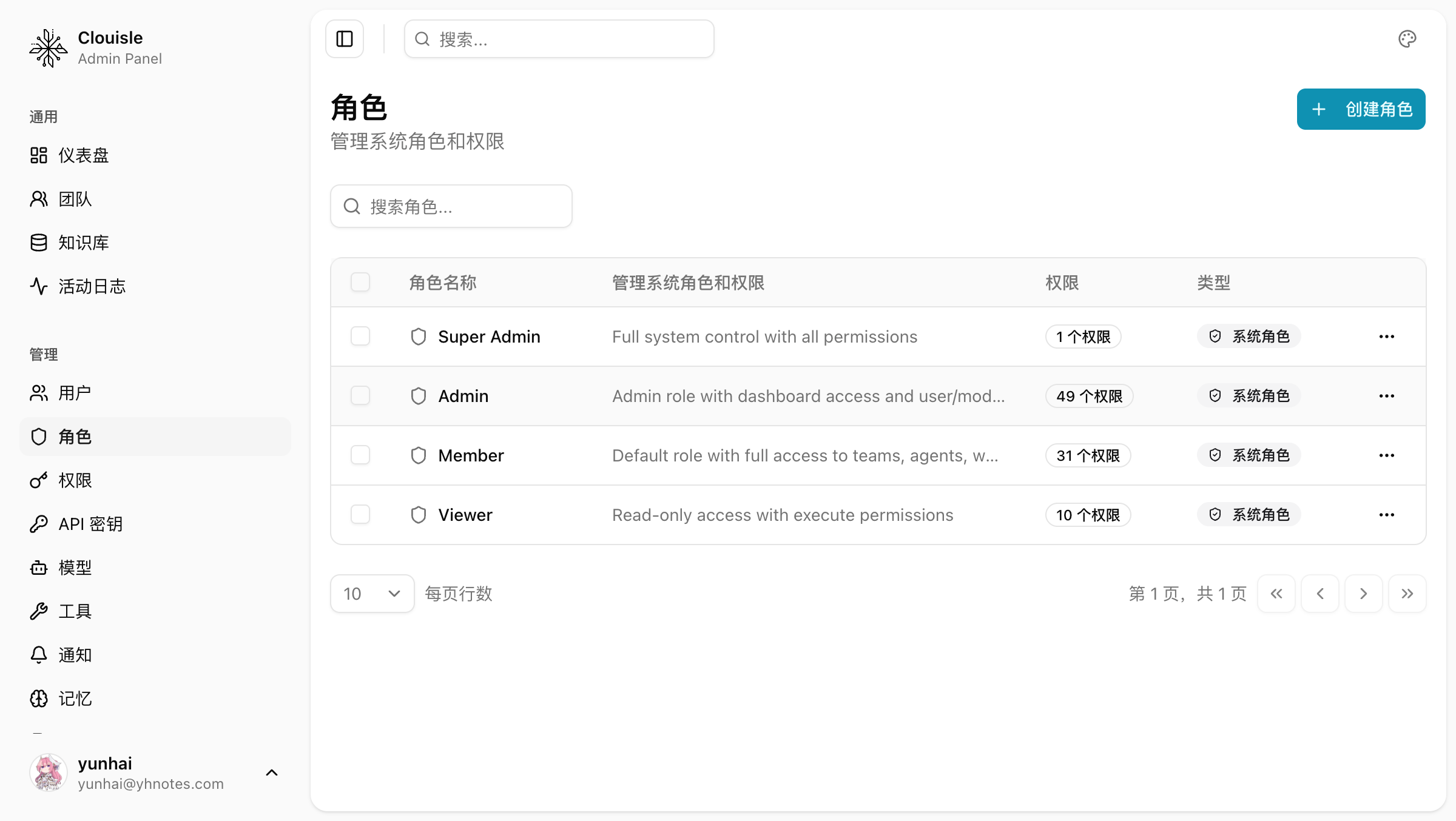
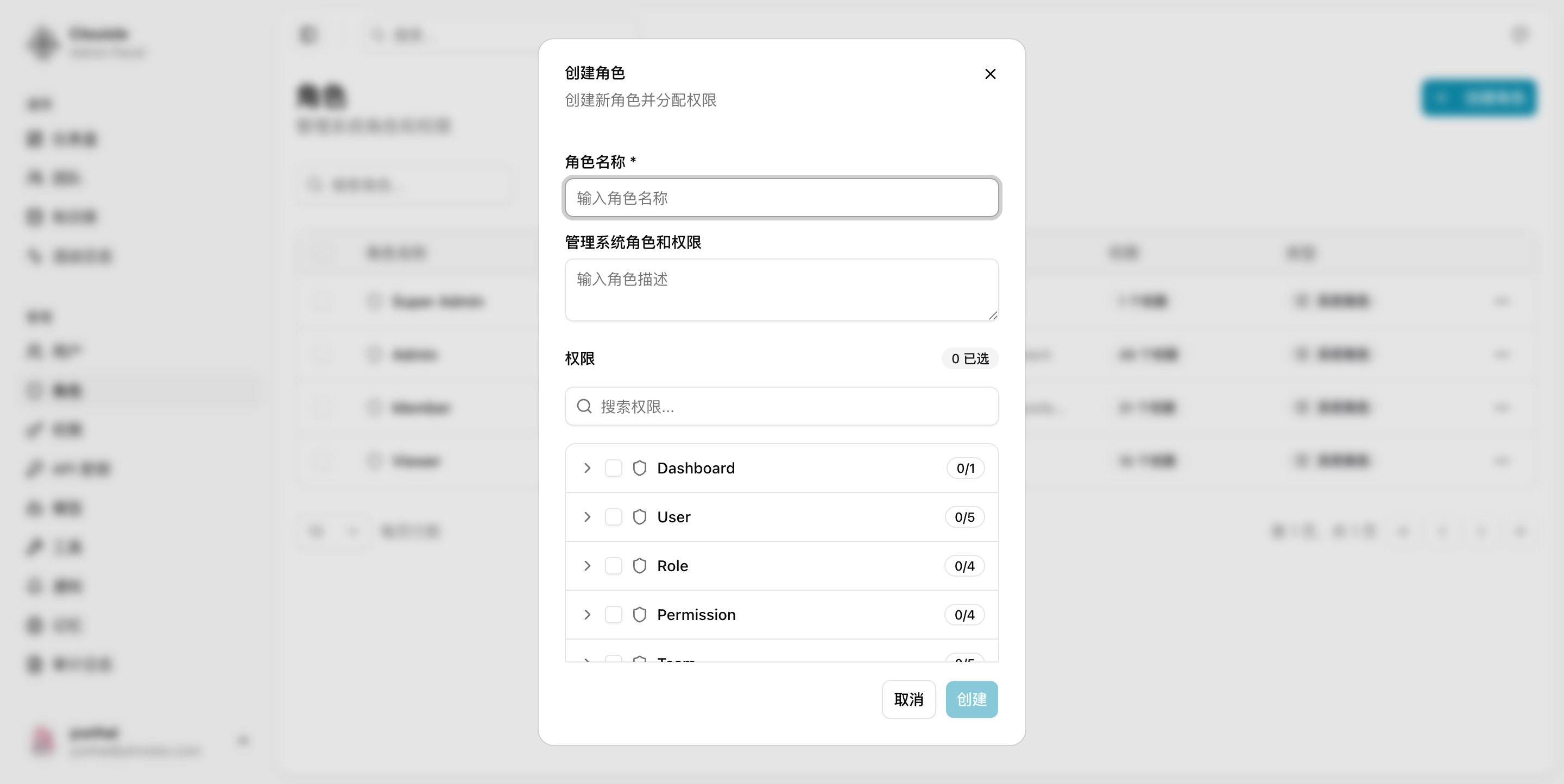
If there are already many roles, make a cleanup plan before continuing to add new ones.
Step 2: Define Stable Roles First, Then Map Permissions
We recommend first defining 3 to 5 long-term stable roles, such as:
- Platform administrator
- Team administrator
- Regular member
- Viewer
Only with stable roles first will later permission assignment avoid becoming increasingly chaotic.
Step 3: Enter the Permission Page and Assign Capabilities by Resource Type
When mapping permissions, think around resource types instead of individual users:
- Users and teams
- Agents and workflows
- Knowledge bases and documents
- Models, tools, and API Keys
- Site settings, notifications, and audit
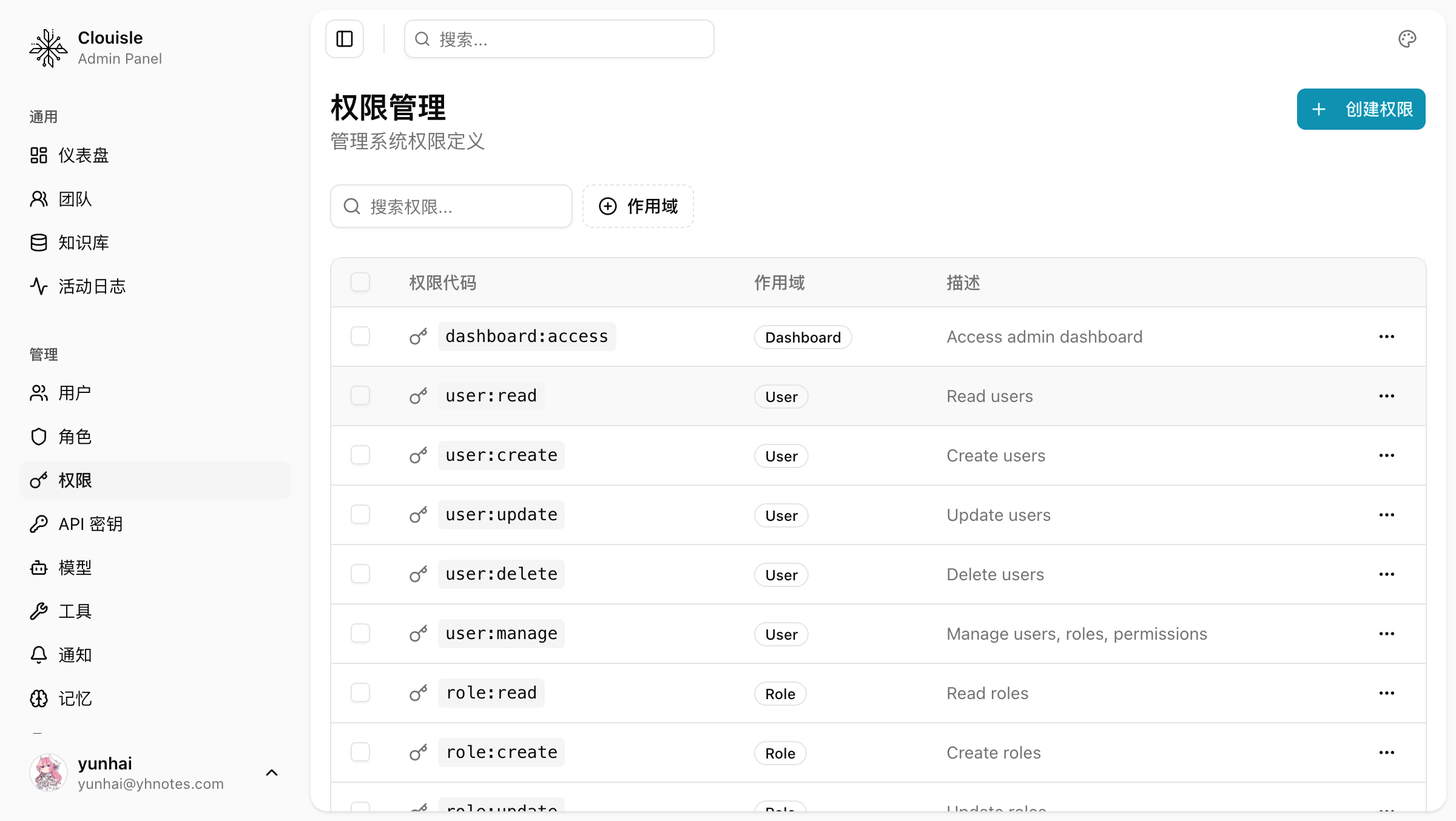
This also makes it easier to continue expanding when new resource types are added later.
Step 4: Tighten High-risk Permissions First
We recommend first confirming who can perform the following actions:
- Delete resources
- Publish official versions
- Manage SSO, notifications, and site settings
- Adjust team members and roles
- Manage API Keys and high-cost models
High-risk permissions should be strict by default instead of open by default.
Step 5: Verify with Real Accounts Instead of Only Viewing the Configuration Page
After configuration is complete, you must log in with accounts of different roles for actual validation. Focus on:
- Whether menus display correctly
- Whether buttons are disabled or hidden correctly
- Whether actual submitted operations are truly blocked
Result Validation
A maintainable role and permission system should at least satisfy:
- The number of roles is limited and their meanings are clear
- High-risk permissions are tightened
- The visible scope and operable scope after different roles log in match expectations
- After roles are adjusted, the actual effect is immediately reflected on the account
FAQ
Why Is It Not Recommended to Create a Separate Role for Every Person
Because long-term maintenance costs are extremely high, and once personnel changes occur, permission handoff is almost impossible to systematize.
Why Is Viewing Permission Configuration Alone Not Enough
Because many issues appear on actual pages and submitted operations, not in the configuration table.
Why Should High-risk Permissions Be Confirmed Separately First
Because the consequences of accidental deletion, unauthorized publishing, and incorrect authorization are usually far greater than ordinary read and write issues.
Notes
- Fewer roles are more stable, but only if their boundaries are clear
- After every permission adjustment, perform a real-login regression test
- The permission system should be maintained as resource types expand. Do not wait until it becomes chaotic to fix it
Login, Passwords, and SSO
Design a stable identity authentication system in the order of login strategy, password governance, two-factor authentication, and SSO integration.
API Key Management
Establish programmatic access capabilities in the order of confirming call scope, creating keys, tightening permissions, and API validation.