 Clouisle
System Administration
Establish a platform management system in the order of dashboard inspection, organization governance, site rule configuration, and audit closed loop.
Feature Overview
System administration is for platform governance, not one-time business use. It helps administrators answer these key questions:
- How is the platform running now?
- Who can access the platform?
- Are teams and permissions clear?
- Have security, notifications, and audit been established?
Use Cases
This page is suitable for:
- Preparing the platform for official internal or external launch
- Administrators taking over the Admin Console for the first time
- Moving the platform from trial use toward long-term operation
Prerequisites
Before you begin, we recommend having:
- At least one available administrator account
- Basic users or teams already present on the platform
- Initial planning for login, notifications, permissions, and audit
Steps
Step 1: Enter the Admin Console dashboard first and confirm the current platform state
After administrators enter the Admin Console, the first place to look is the dashboard, not configuration changes. Focus on confirming:
- How many users and teams currently exist
- Whether recent platform activity is normal
- Whether there are obvious abnormal fluctuations
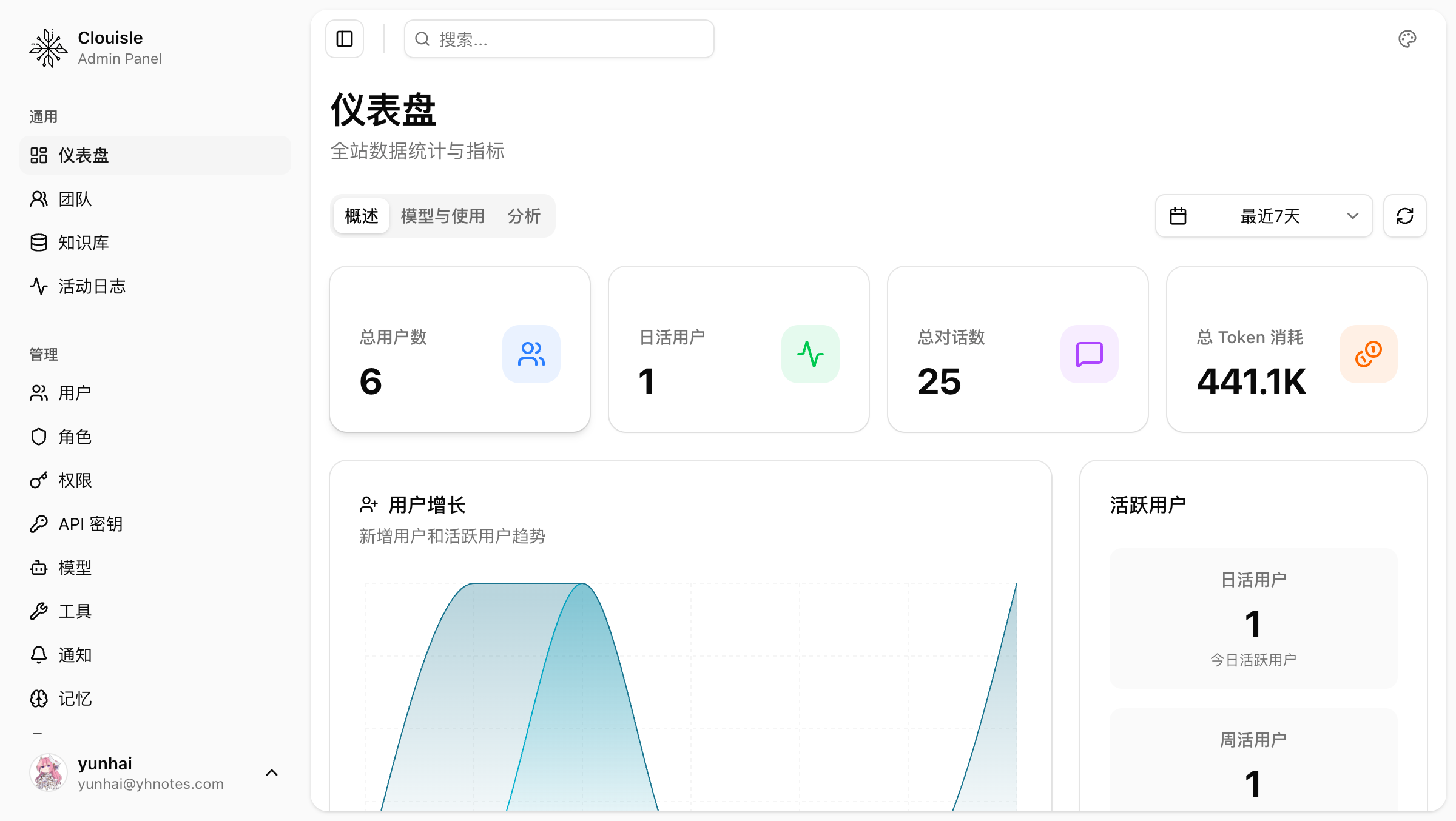
After completing this step, you should have a basic understanding of the platform's current scale and activity.
Step 2: Check the user and team structure next
After confirming the current platform state, enter user and team related pages and focus on:
- Whether user count and status are normal
- Whether team divisions are clear
- Whether multi-team collaboration needs already exist
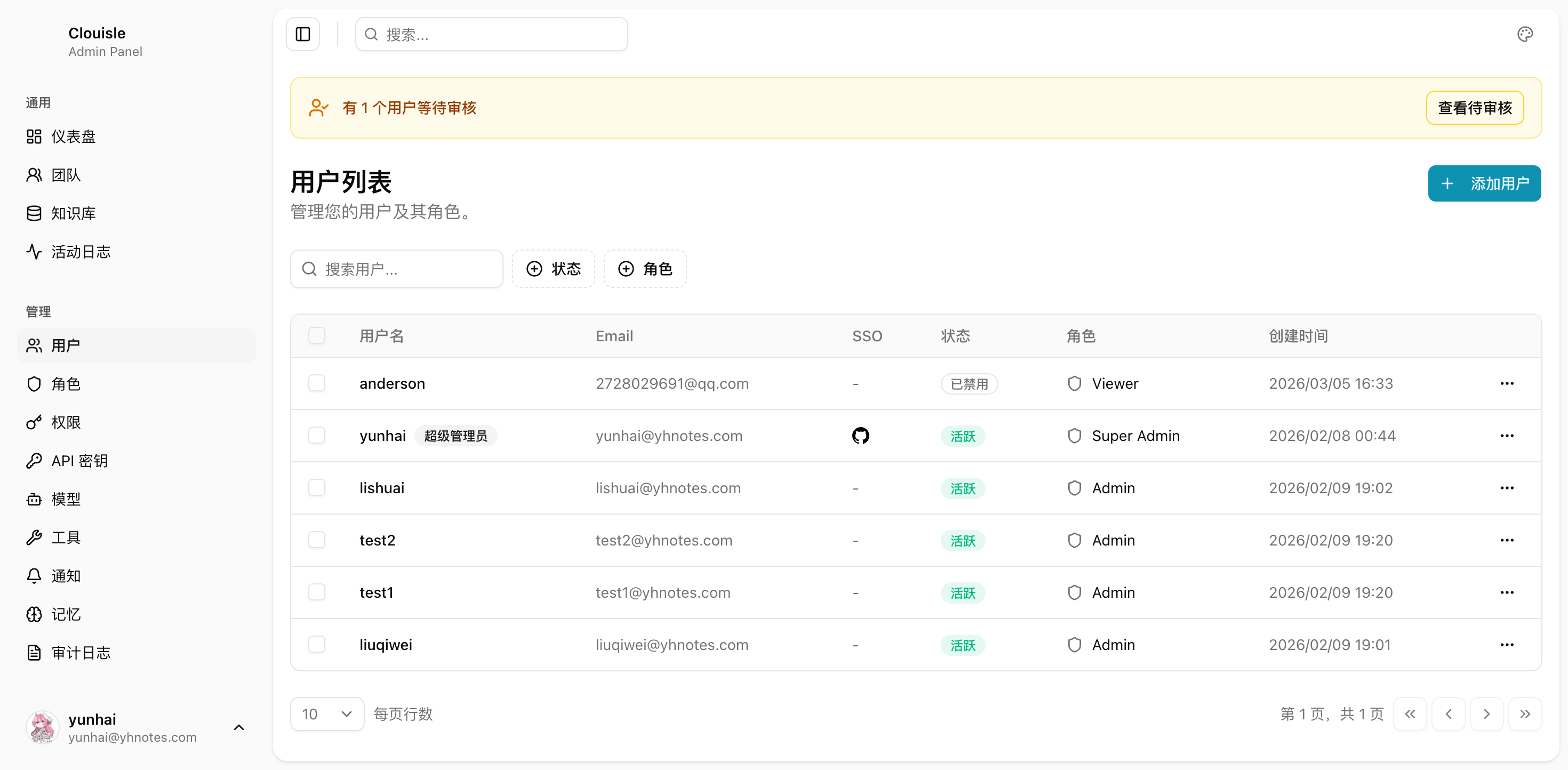
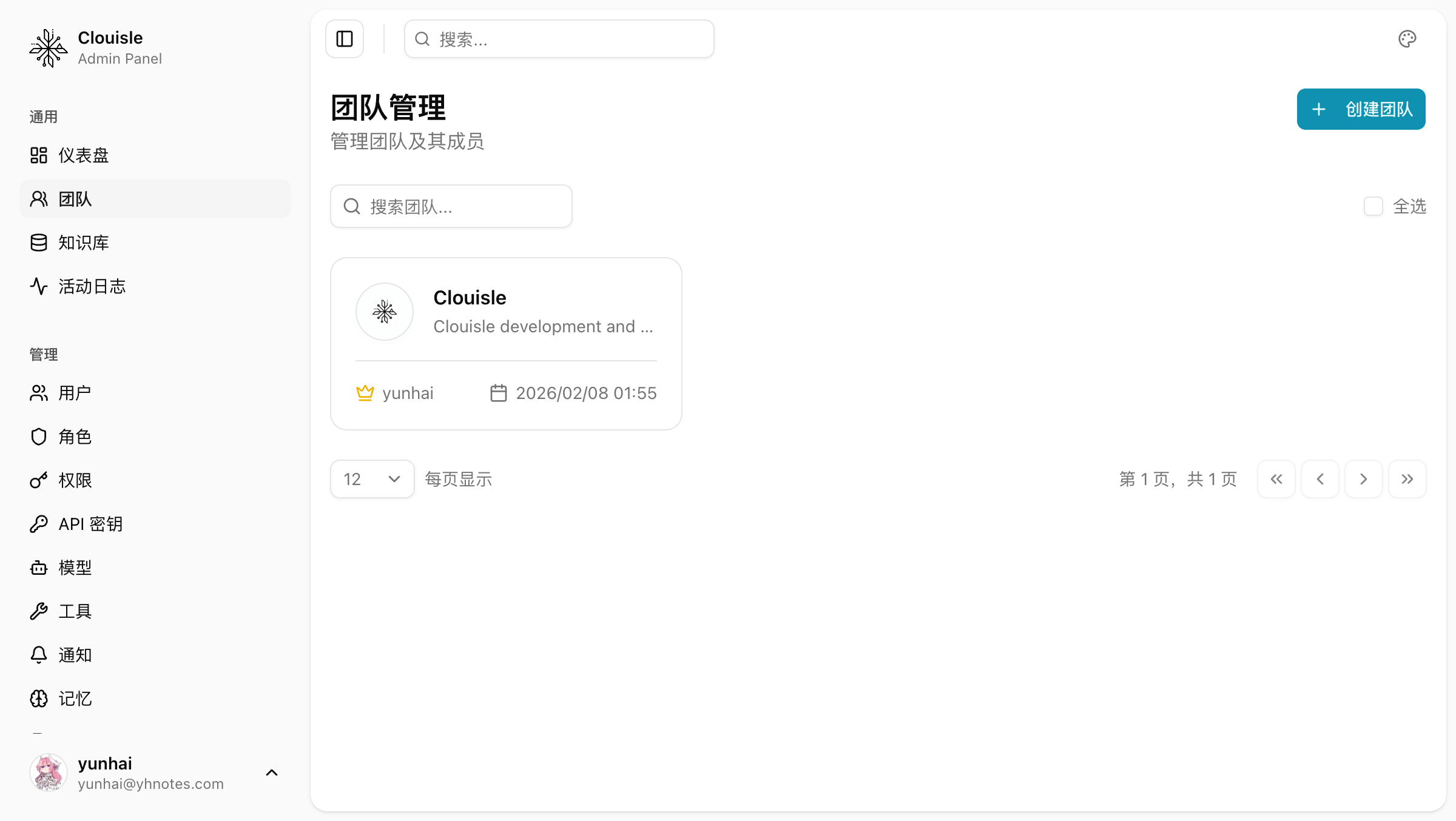
The goal of this step is to first understand "people" and "organizations" clearly before continuing to discuss permissions and rules.
Step 3: Review roles, permissions, and access rules
After the user and team structure is clear, confirm:
- Whether roles have already been established
- Whether high-risk permissions have been tightened
- Whether non-administrators cannot see site-level entries
If this step is skipped, later notification, SSO, or API Key configuration will leave governance gaps.
Step 4: Complete site-level settings
After organization and permissions are stable, handle platform-level rules, such as:
- Site name and basic information
- Registration and login policies
- Notification channels
- SSO rules
- Audit retention and alert thresholds
We recommend reviewing site-level rules all at once before official launch, rather than frequently changing them while opening the platform.
Step 5: Establish a daily Admin Console inspection habit
The Admin Console truly works not only by configuring all pages, but by forming fixed inspection actions. We recommend establishing at least the following routine checks:
- Review overall dashboard trends
- Check whether users, teams, and permissions have abnormal changes
- Check whether there are high-risk operations in audit logs
- Check whether notification and alert paths are normal
Result Validation
A platform Admin Console with basically complete governance should at least satisfy:
- Administrators can smoothly enter core Admin Console pages
- Non-administrators cannot see high-risk site-level entries
- There are no obvious conflicts between users, teams, permissions, and site rules
- Dashboard, notification, and audit paths are already available
FAQ
Why does management still feel messy even though the platform has many features?
Usually not because there are not enough modules, but because:
- User and team boundaries were not reviewed first
- Permissions and site policies were established too late
- The Admin Console has not formed a fixed inspection mechanism
Why is the dashboard recommended as the first step in the Admin Console?
Because the dashboard helps you quickly determine whether the platform is in a stable state. If you modify settings directly from the start, it is easy to amplify issues without understanding the current state.
Why can system administration not be a one-time configuration?
Because the platform keeps changing. If configuration is done once without continuous inspection, governance capability will quickly become ineffective.
Notes
- Admin Console policy changes affect the entire site, so execute them during lower-risk periods when possible
- Review the current state first, then change rules. Do not reverse the order
- After major configuration changes, immediately perform an Admin Console regression validation
User Memories
Let Agents retain continuity and personalization in long-term interactions through entities, relationships, and memory retrieval.
Site Settings, Security, and Notifications
Use site-level configuration to centrally define the platform name, security rules, notification outlets, and audit retention policies.