 Clouisle
Notification System
Build a truly usable notification path in the order of event definition, recipients, notification validation, and daily review.
Feature Overview
The notification system proactively pushes important changes in the platform to users, teams, or administrators. It does not solve "whether there are messages on the page", but rather "whether important events can be seen and handled in time".
Use Cases
The notification system is commonly used for:
- Reminding users of results after workflow or task execution completes
- Notifying relevant people about account, security, or approval events
- Sending synchronization reminders for changes to teams, knowledge bases, Agents, or API Keys
Prerequisites
Before you begin, we recommend clarifying:
- Which events are mandatory notification events
- Who should be notified
- Which notification channels have already been connected to the platform
Steps
Step 1: Define which events are worth notifying about first
Do not enable all events from the beginning. We recommend prioritizing truly high-value events, such as:
- Execution failure
- Pending approval
- Security anomaly
- Critical resource change
If the notification scope is defined too broadly, users will quickly start ignoring these reminders later.
Step 2: Distinguish notification scope and recipients
The platform usually needs to distinguish at least 3 types of notifications:
- Global notifications
- Team notifications
- User notifications
After completing this step, you should be able to clearly identify whether each type of event should go to administrators, team owners, or specific users.
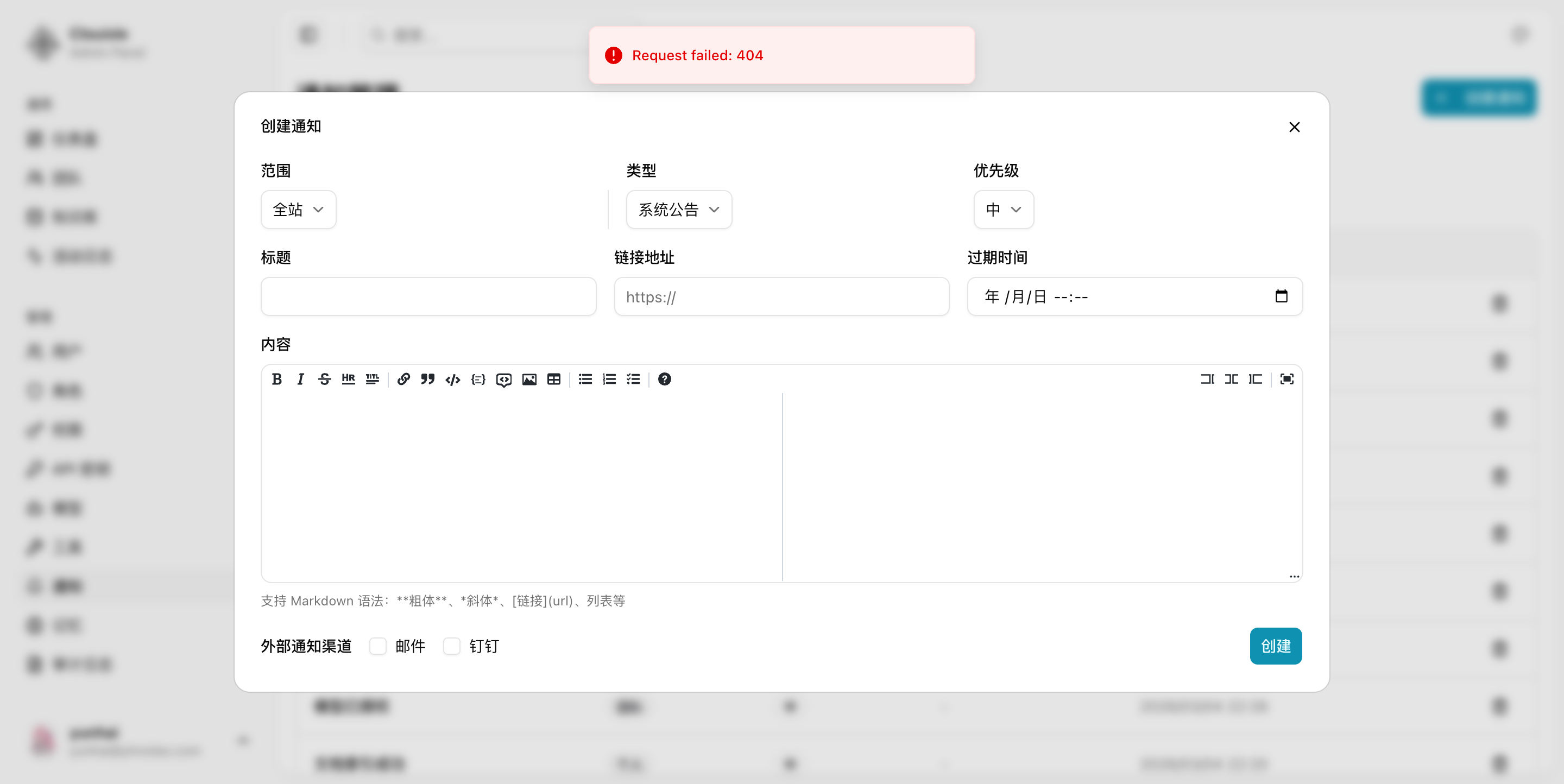
Step 3: Confirm notification fields and the creation entry in the Admin Console
If you need to proactively create a notification, or validate the field structure of platform notifications, we recommend first entering the notification management page in the Admin Console and confirming that the following information can all be configured:
- Scope
- Type
- Priority
- Title and content
- Expiration time
- External notification channel
Step 4: Confirm channels are ready before triggering real notifications
The notification system cannot work independently from notification channels. Before truly enabling it, we recommend confirming:
- Email, Webhook, or IM channels have been tested successfully
- The corresponding events will indeed use the correct channels
- There is clear feedback when failures occur
Step 5: Enter the Notification Center and review real notification results
After an event is triggered, enter the Notification Center to check whether the notification actually arrived. Focus on:
- Whether a new notification appears
- Whether the notification content is readable
- Whether read and unread states can change normally
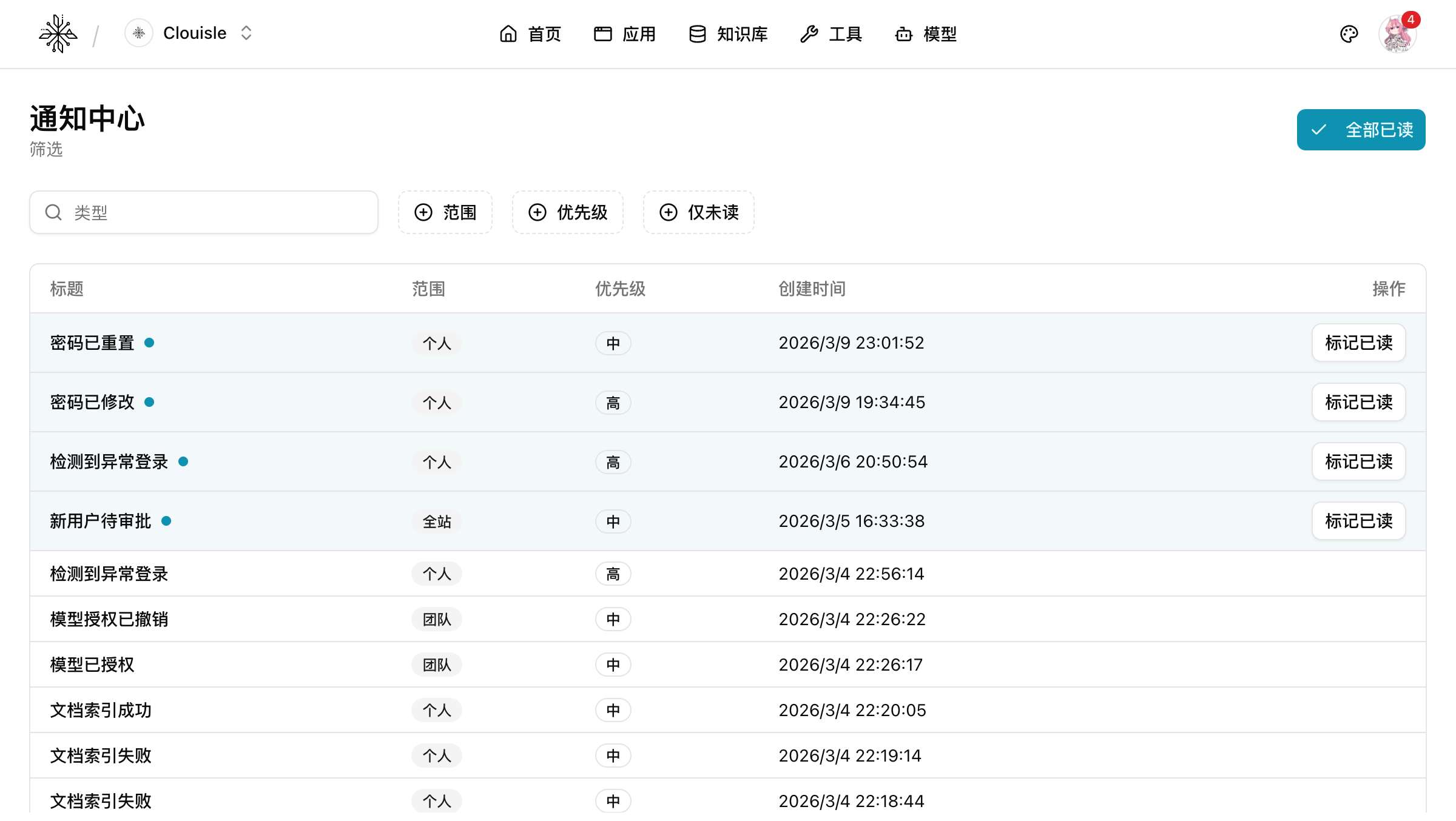
If you can see the complete notification path at this step, it means message display inside the platform is working end to end.
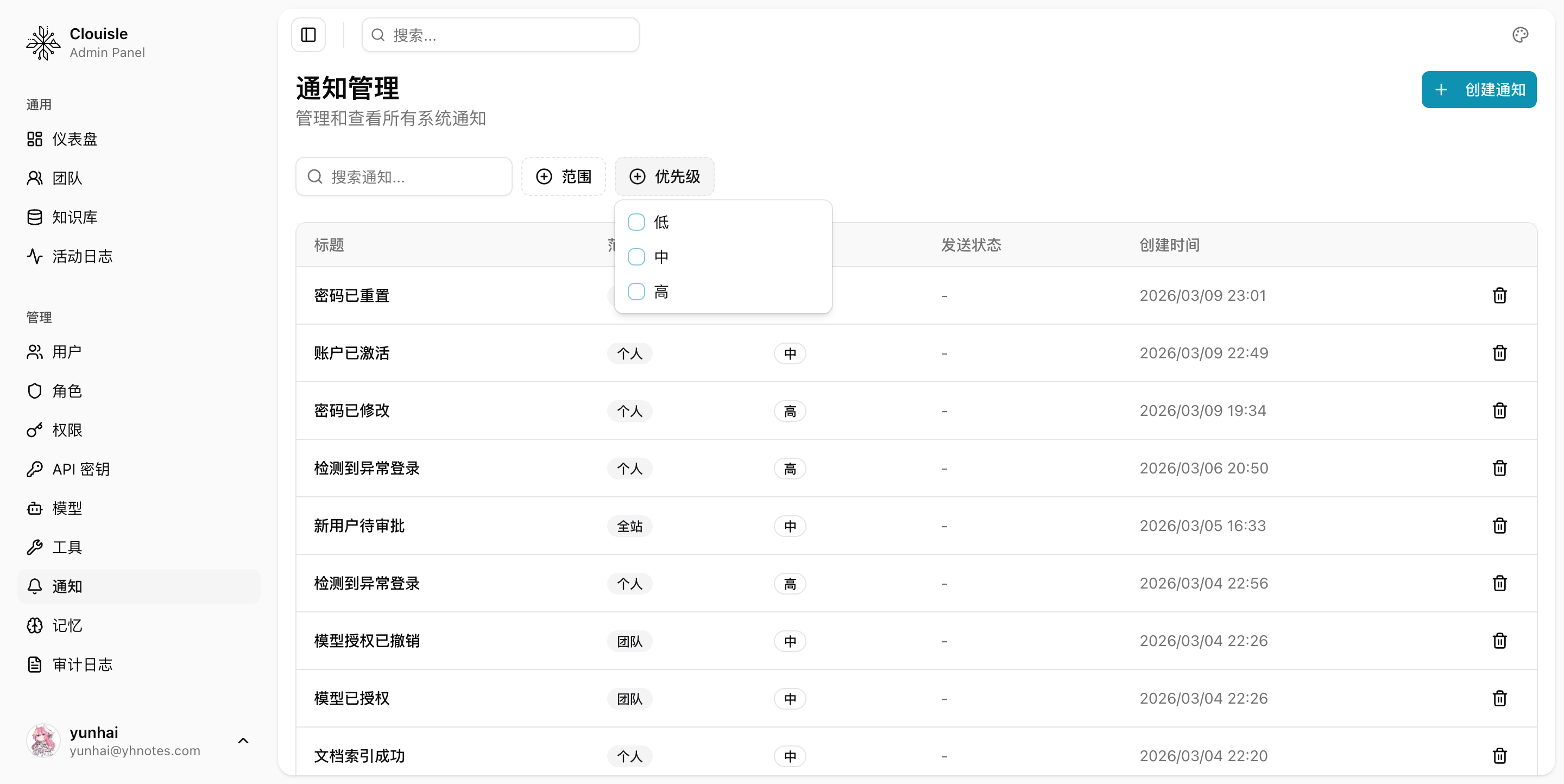
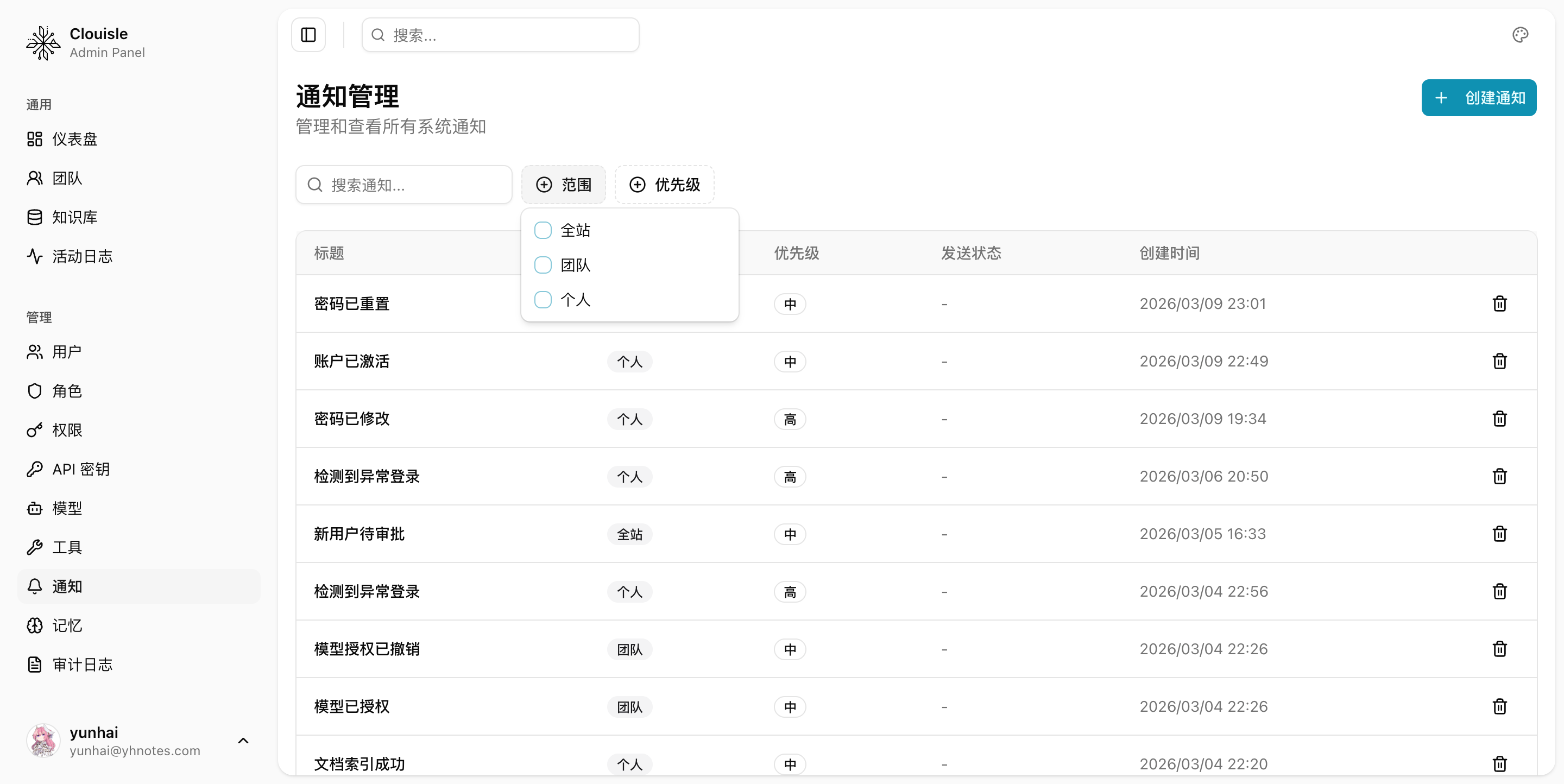
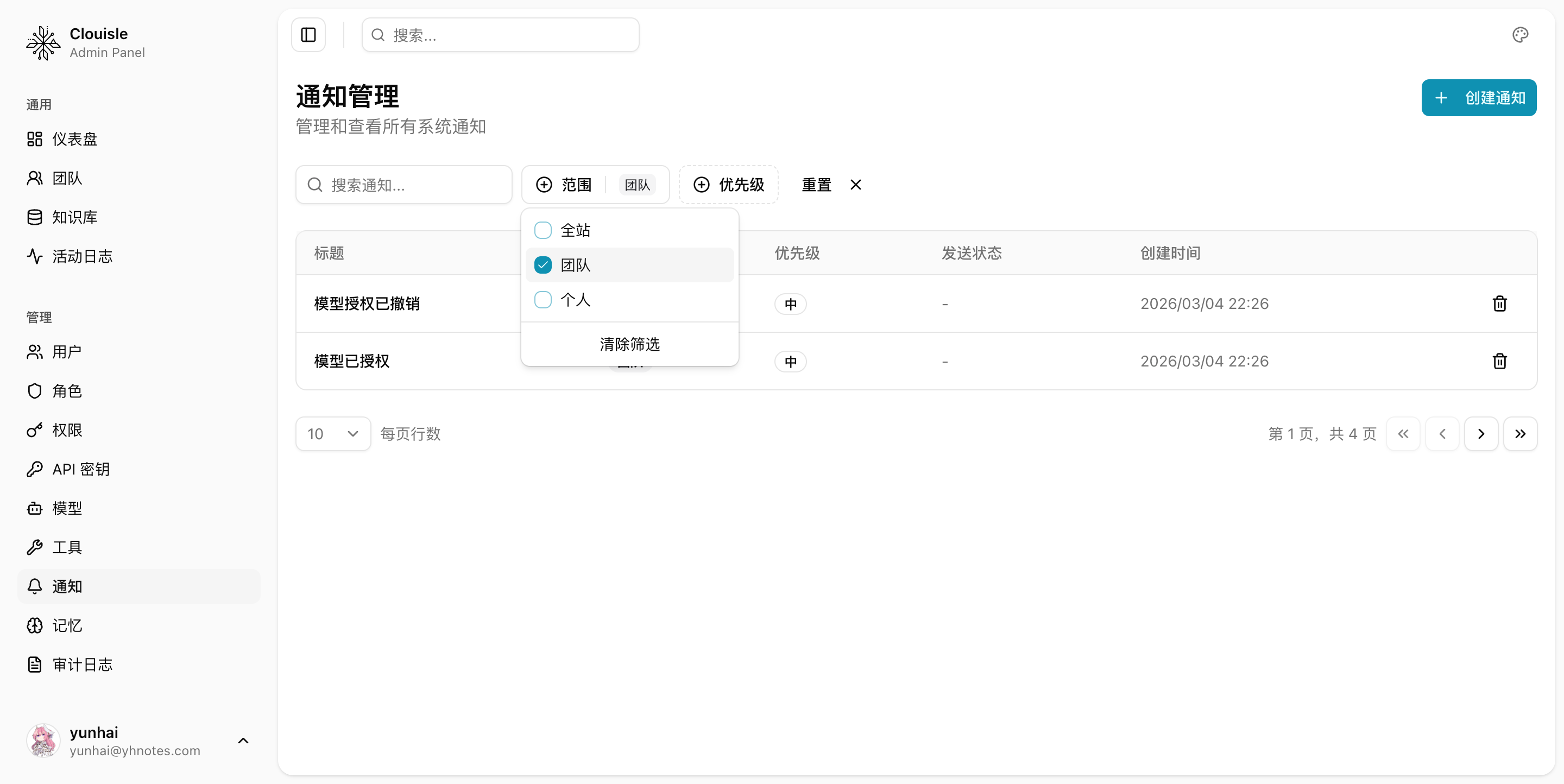
If the number of notifications starts to increase, we recommend using filters first to quickly locate high-priority events, then reviewing the specific handling actions.
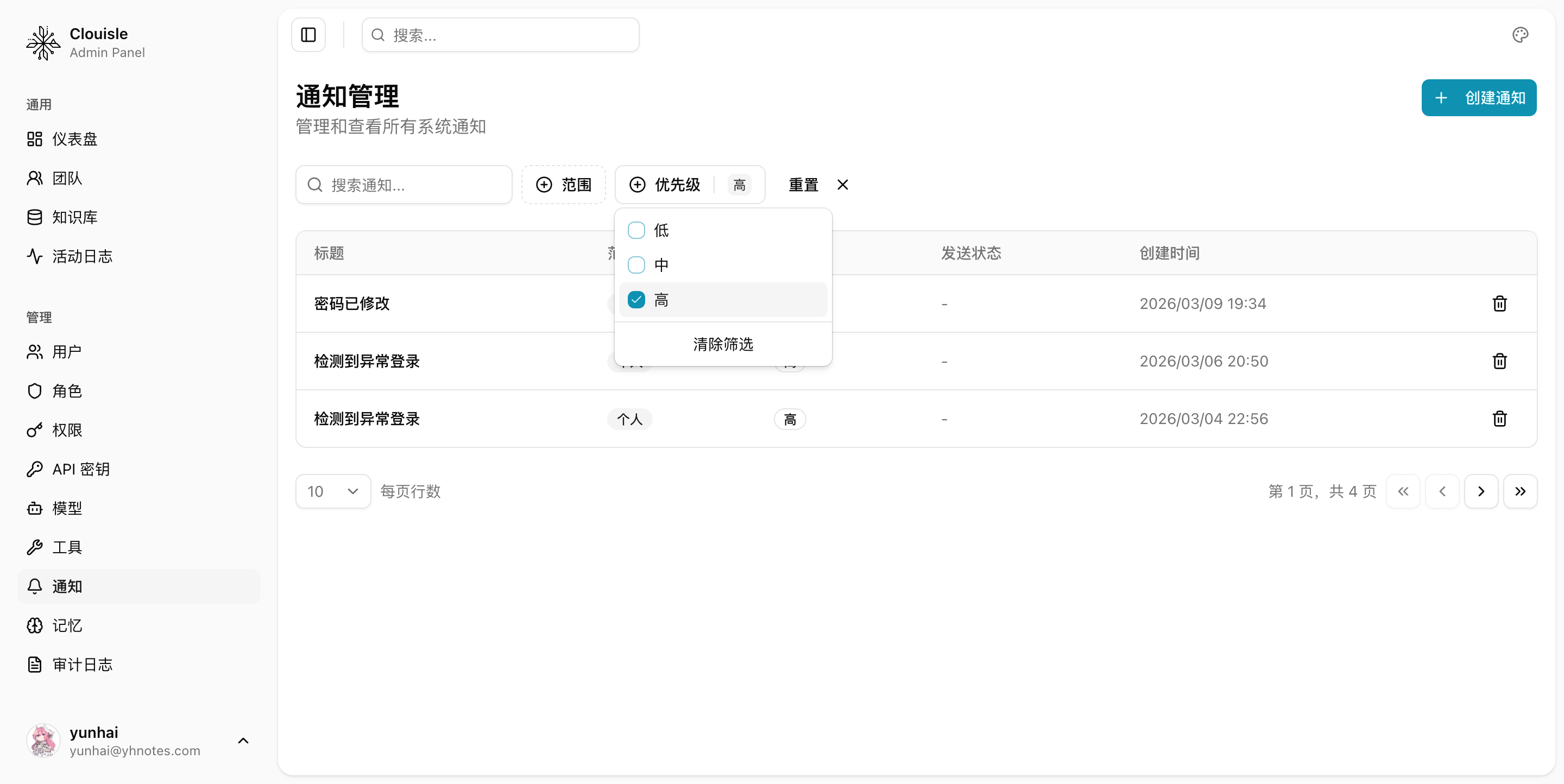
If you need to first review notifications for a certain type of object, such as team-level changes only, you can also filter by scope first.
Step 6: Establish a closed loop from event to handling
Notifications are truly valuable not because they are "sent", but because recipients can take action after reading them. Therefore, before launch, you should also confirm:
- Whether key alerts have clear owners
- Whether there are too many notifications, making priorities hard to identify
- Whether failure notifications can guide users back to the correct page for handling
Result Validation
A notification system ready for use should at least satisfy:
- Key events trigger notifications
- Target recipients can receive reminders in the Notification Center or external channels
- Read, unread, and failed states can all be tracked
- Recipients can quickly locate issues or continue handling tasks based on notifications
FAQ
Why do users still not know what happened even though the system has notification features?
Usually because:
- Notification events are defined too broadly or too chaotically
- Notification priorities are unclear
- Recipients are not configured correctly
Why does the platform still feel like it has no closed loop even though notifications are sent successfully?
Because the goal of notification is not display, but driving action. If recipients do not know where to look or what to do after receiving it, the value of the notification is greatly reduced.
Why must test sending be done before enabling notifications in production?
Notifications span multiple paths inside and outside the platform. Without test sending, it is difficult to confirm whether the issue is with the platform event, channel configuration, or recipient-side rules.
Notes
- Start with high-value events. Do not create notification overload from the beginning
- Validate the notification system together with notification channels. Do not only check in-platform display
- Critical alerts must be traceable to a person, not only exist as a message in the system
Models and Tools
Understand how the platform's underlying capability layer is composed, and how models and tools jointly determine the upper limit of applications.
Notification Channel Configuration
Establish stable notification outlets in the order of selecting a channel, filling in parameters, testing sending, and launching governance.