 Clouisle
Site Settings, Security, and Notifications
Use site-level configuration to centrally define the platform name, security rules, notification outlets, and audit retention policies.
Feature Overview
Site settings are used to define the basic rules shared by the entire platform. Once these settings are changed, they usually affect all users and all teams.
Use Cases
Suitable for:
- Basic configuration before the platform's first launch
- Adjusting registration, security, and session rules
- Configuring notifications, audit, and site display information
Prerequisites
Before making changes, we recommend first confirming:
- Whether current policies are already being used by users
- Whether there is a rollback plan
- Whether related notification, email, or SSO configuration is ready
Steps
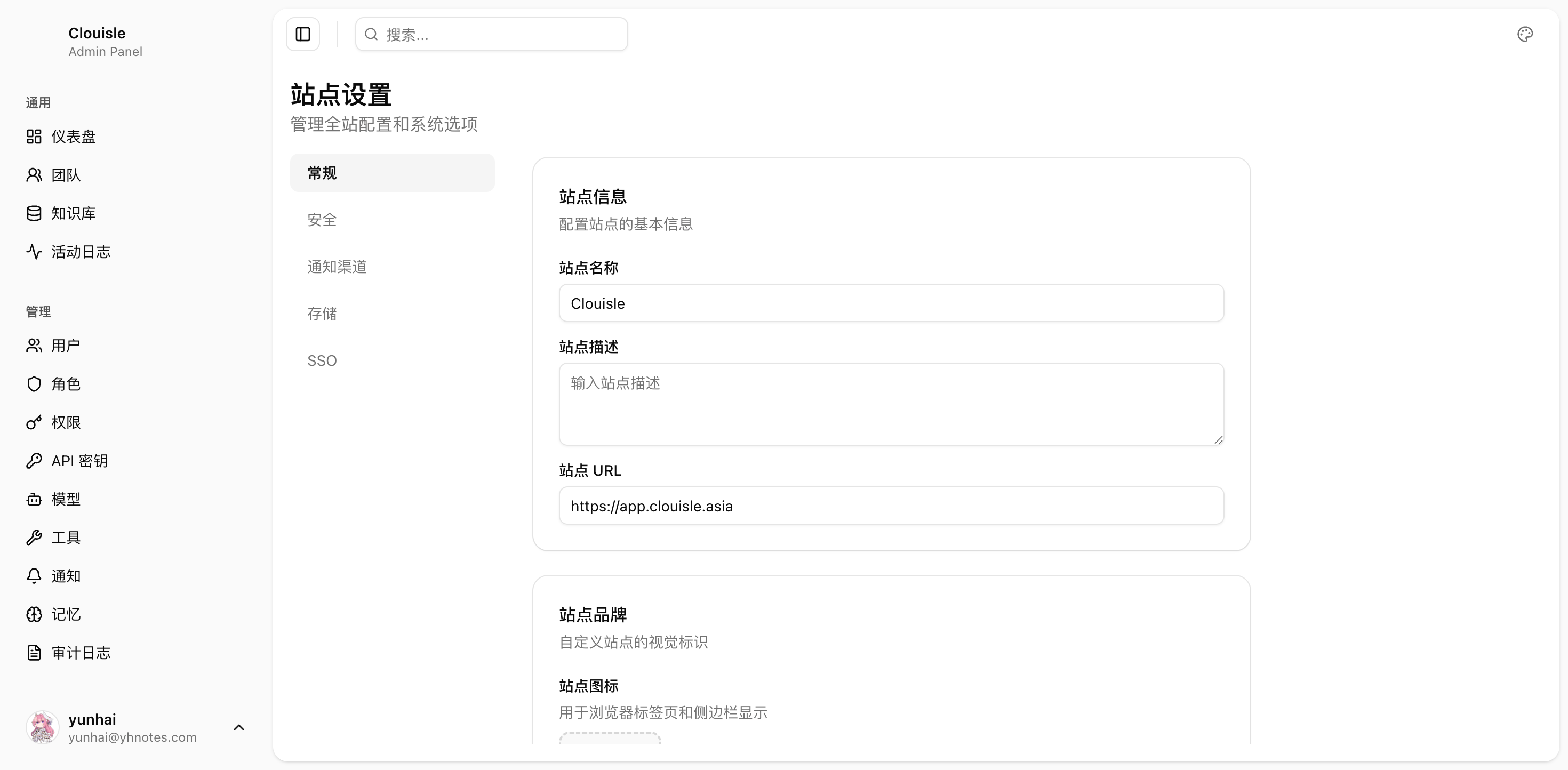
Step 1: Configure basic site information first
This usually includes:
- Site name
- Description
- URL
- Icon
- Default language
This part determines how the platform is presented externally.
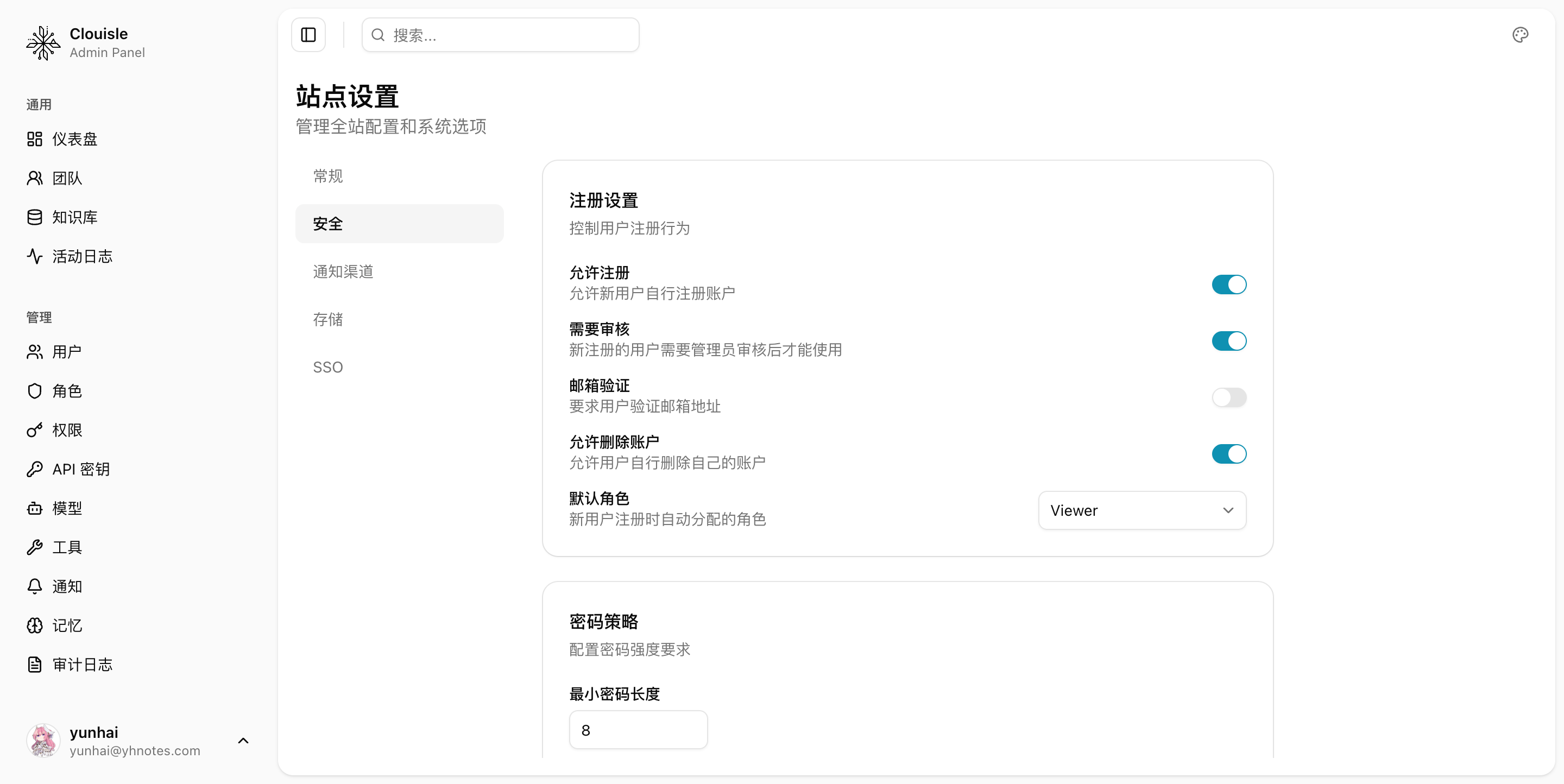
Step 2: Configure registration and security policies next
Focus on:
- Whether registration is allowed
- Whether approval is required
- Email verification
- Password policy
- Session timeout
- Login failure limits
Step 3: Configure notification and email capabilities
If password recovery, alerts, or approval notifications are needed, configure the following at the same time:
- SMTP
- In-platform notifications
- IM or Webhook channels
Step 4: Finally configure storage and audit retention rules
Focus on confirming:
- Audit retention period
- Archiving strategy
- Alert thresholds
Result Validation
After site-level configuration is complete, we recommend confirming:
- Frontend login and registration behavior follows the new rules
- Notification and email paths are available
- Security policies do not mistakenly block normal user login
Value
The value of site settings is to standardize platform rules and avoid each team forming different interpretations on its own.
Notes
- Before changing security policies, evaluate the impact on existing users
- Before email and notifications are validated, do not rely on password recovery and approval processes
- An audit retention period that is too short will affect later issue tracing
System Administration
Establish a platform management system in the order of dashboard inspection, organization governance, site rule configuration, and audit closed loop.
SSO Configuration
Connect enterprise single sign-on in the order of login strategy, account mapping, test validation, and gray release switching.