 Clouisle
Getting Started
From first login to building your first usable capability, quickly establish a complete usage path for Clouisle.
Feature Overview
The goal of getting started is not to learn every feature at once, but to first establish the shortest runnable path. In Clouisle, this path is usually:
- Log in to the platform
- Understand the Workspace and Admin Console
- Create your first Agent or workflow
- Connect it to a model, knowledge, or tool
- Validate the result with real questions
Applicable Scenarios
This page is suitable for the following three scenarios:
- You are entering the platform for the first time and do not know where to start
- You are preparing to build your first AI app and want to run through the complete path first
- You need to onboard team members and want a unified starting point
Prerequisites
Before you start, we recommend confirming:
- You already have an account that can log in
- Your account can at least access the Workspace
- The platform already has an available model configured, or an administrator can add one later
- If you want to test a knowledge base, you already have 2 to 5 clearly structured materials prepared
Operation Steps
Step 1: Log In and Distinguish the Two Entrances
After logging in, first confirm which type of page you are seeing:
- Workspace: for creating and using Agents, workflows, knowledge bases, and conversations
- Admin Console: for users, teams, permissions, site settings, and audit
We recommend becoming familiar with the app layer in the Workspace first, then entering the Admin Console to understand the governance layer.
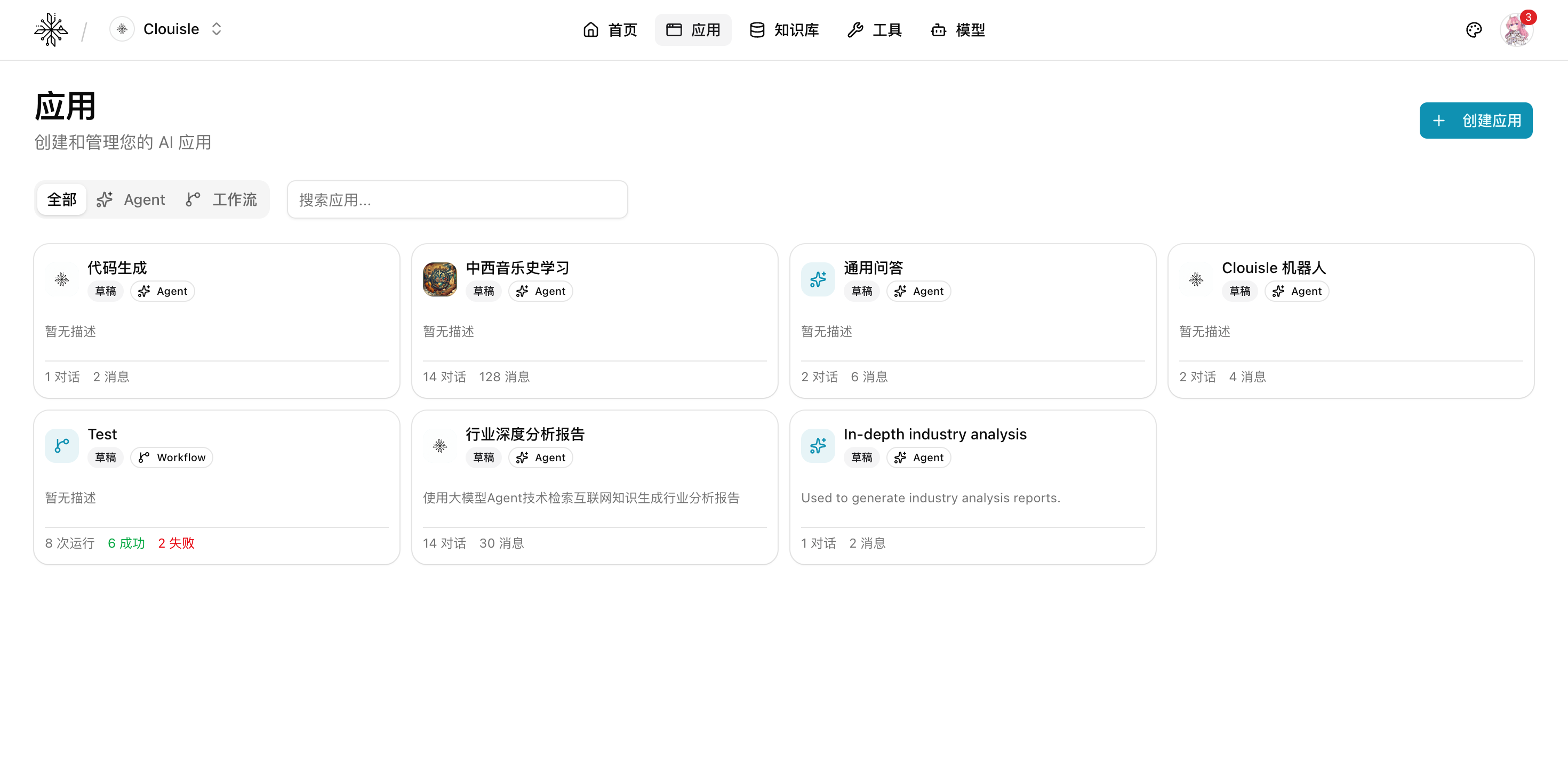
Step 2: View the App List
After entering the app list, first confirm which apps already exist on the platform. The focus of this step is not to create immediately, but to first understand:
- What types of AI apps the current platform mainly supports
- Whether existing apps are more Agent-oriented or workflow-oriented
- Whether there are templates that can be reused directly
Step 3: Create Your First Runnable Capability
If your goal is to experience user interaction first, create an Agent first. If your goal is to run an automated process first, create a workflow first.
When getting started for the first time, we do not recommend creating both at the same time. Otherwise, it is difficult to determine whether issues come from conversation logic or process orchestration.
Step 4: Connect Only One Layer of Enhancement
After creating the basic capability, add only one layer of enhancement:
- When real materials are needed, connect a knowledge base first
- When a system needs to be called, connect a tool first
- When structured input is needed, configure variables first
Do not enable knowledge base, tools, vision, memory, and notifications all at once on your first attempt. This will significantly increase troubleshooting difficulty.
Step 5: Complete the First Validation with Real Questions
During validation, do not only ask "Who are you?" or "Hello". Use real business questions directly, such as:
- Actual Q&A from product documentation
- Actual processing requests from business processes
- Real queries that require tool results
Result Validation
After completing your first onboarding, confirm at least these 4 things:
- The app has been created successfully and can be opened for editing again
- Model calls work normally, with no authentication or quota errors
- If a knowledge base is connected, document processing is complete and the correct materials are matched
- If a tool or workflow is connected, execution records show clear inputs and outputs
Next Steps
After the first validation passes, we recommend continuing in this order:
Agents and AppsKnowledge BaseWorkflowsModel ManagementSystem Administration
Notes
- During the first onboarding stage, prioritize "getting it running" and do not pursue complex capability stacking too early
- The closer real test samples are to future business input, the less rework you will have later
- If you find that many entrances cannot be opened for now, first confirm account permissions instead of assuming the system is abnormal
Clouisle Feature Manual
Quickly understand Clouisle's capability boundaries, implementation methods, and recommended reading path through a unified operating manual structure.
Users, Roles, and Access Control
Establish platform access boundaries in the order of user organization, role layering, login methods, and programmatic access governance.