 Clouisle
Workflow Monitoring
Continuously monitor workflows in the order of reviewing trends, finding failed samples, replaying execution logs, and feeding insights back into optimization.
Feature Overview
Workflow monitoring is used to answer two key questions:
- Is this process running stably?
- Where should you start investigating when something goes wrong?
It is not only about seeing "how many times it ran". More importantly, it helps you find failure distributions, latency anomalies, and node-level issues.
Use Cases
Suitable for:
- Workflows that have already started providing services externally
- Teams that need to continuously observe success rates and latency
- Teams that need to troubleshoot Webhook, scheduled task, or external system integration issues
Prerequisites
Before you begin, we recommend having:
- A published workflow
- A certain amount of real execution records
- A set of key business success criteria
Steps
Step 1: Review overall trends first, do not drill straight into a single log
When viewing workflow monitoring, first look at the overall data:
- Total runs
- Success rate
- Average latency
- Failure count
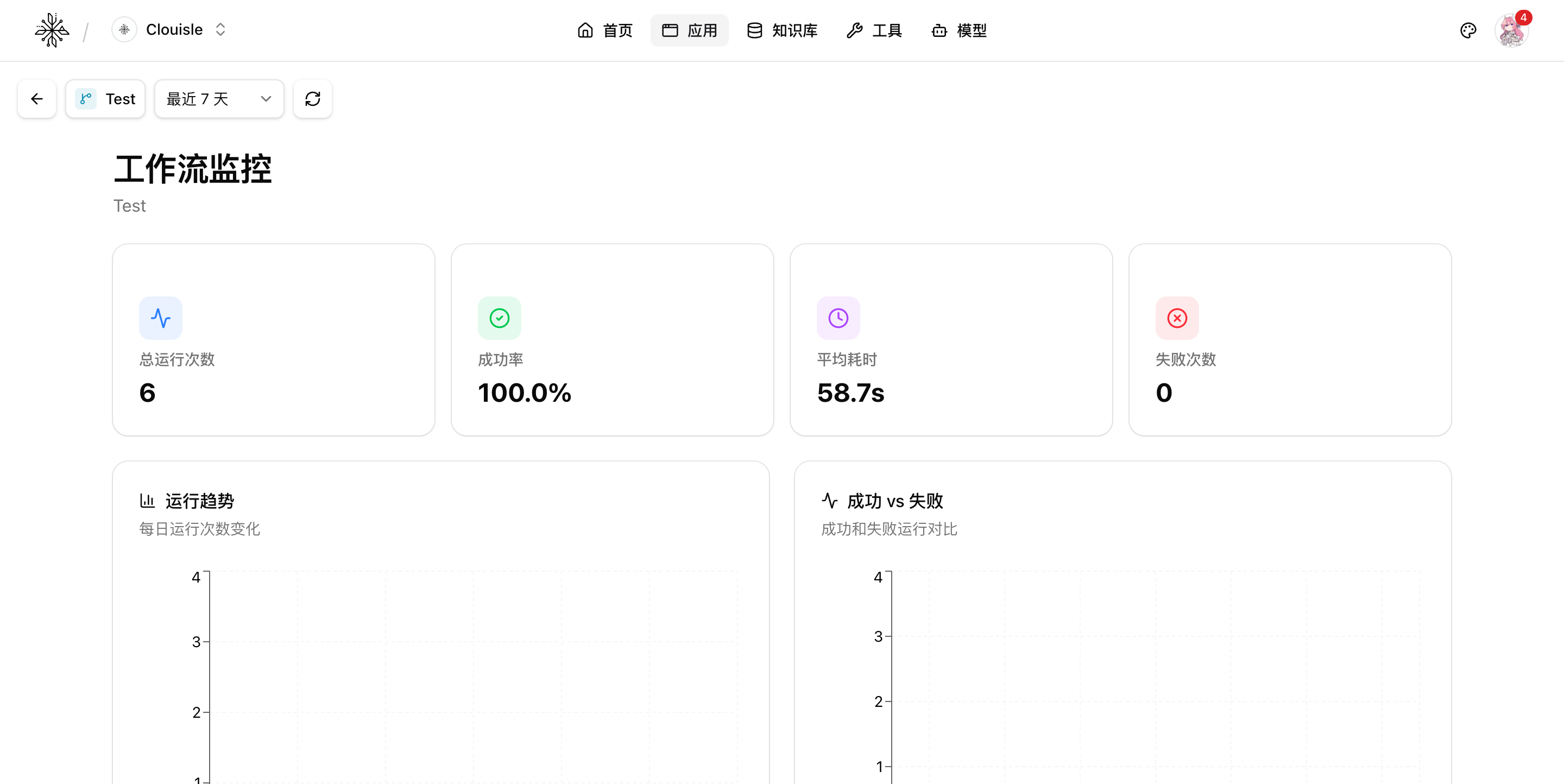
The purpose of this step is to first determine whether the issue is occasional, local, or systemic. If you focus only on one failed log from the beginning, it is easy to misjudge the overall state.
Step 2: Filter failed samples and check whether anomalies are concentrated
After you notice a lower success rate or an increase in failures, review the failed records. Focus on determining:
- Whether failures are concentrated in a specific node
- Whether failures are concentrated in a certain type of input
- Whether failures are related to a specific external system, model, or tool
If failed samples are highly concentrated, it usually means the issue is not random fluctuation, but a problem in a fixed part of the process.
Step 3: Replay execution logs to reconstruct the real execution path
After entering a specific execution record, focus on reconstructing these questions:
- What was the input?
- Which path did the process follow?
- Which step first diverged from expectations?
- Which downstream steps were affected after the failure?
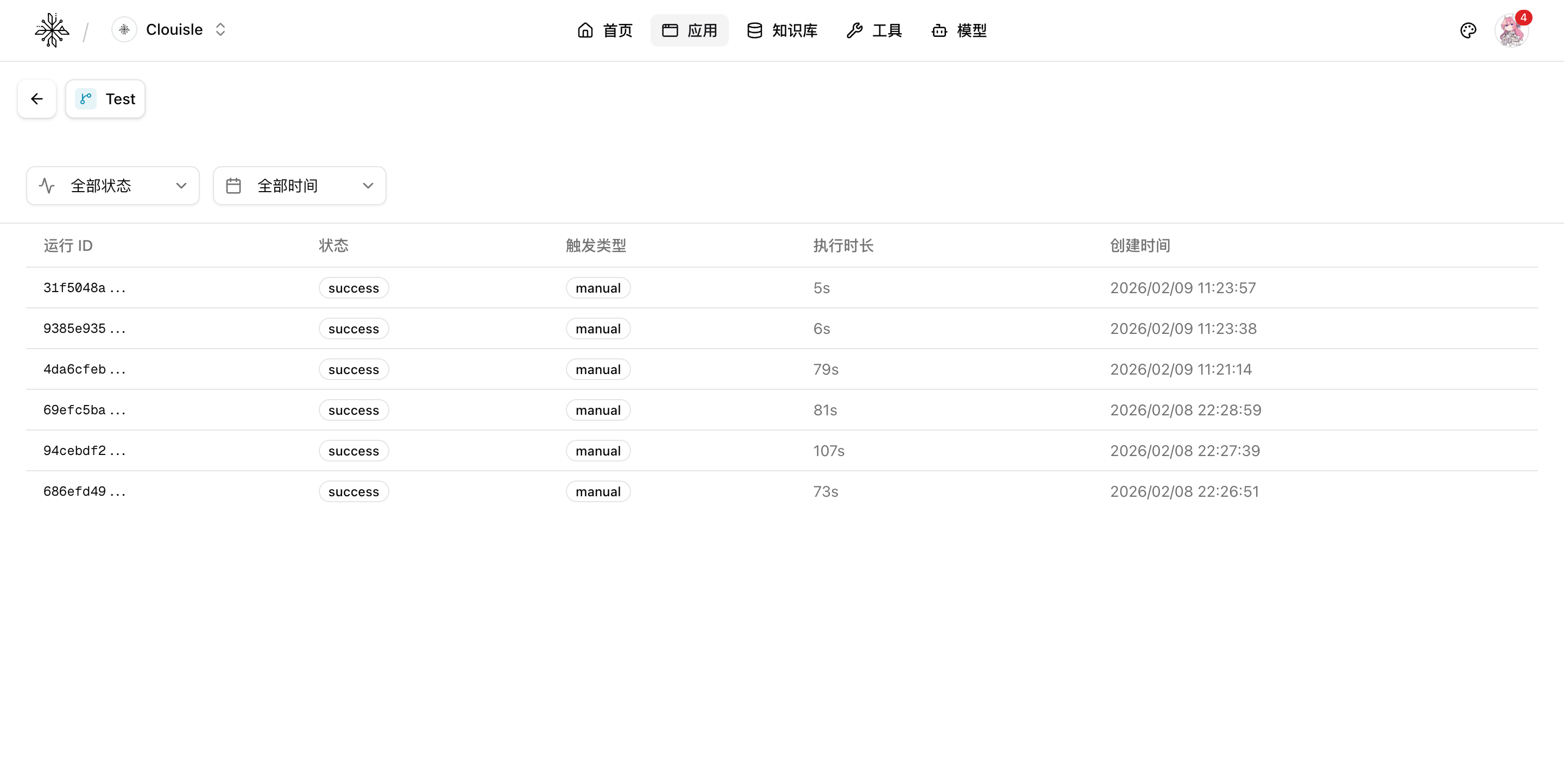
At this stage, do not rush to change the process. First, understand exactly where the issue occurred.
Step 4: Distinguish between process design issues and external dependency issues
After reviewing the logs clearly, we recommend classifying the issue again:
- If the issue consistently appears in a specific node, return to the process design first
- If the issue only appears at specific times or during external calls, investigate the dependent system first
- If the issue is mainly high latency rather than failure, investigate the model, tool, and network path first
Step 5: Feed monitoring results back into optimization and release
The endpoint of monitoring is not "we looked at it", but driving improvements. We recommend bringing conclusions back to:
- Node design
- Timeout and retry strategies
- Tool invocation methods
- Webhook or scheduled task configuration
Result Validation
An effective workflow monitoring system should at least satisfy:
- The team can quickly determine whether the overall process is stable
- When anomalies occur, the team can quickly locate the failed part
- Logs are sufficient to support review and optimization decisions
FAQ
Why is it meaningless to only look at total runs?
Because run count only represents traffic, not quality. Without combining success rate, latency, and failure distribution, it is difficult to determine whether a workflow is truly healthy.
Why does the same type of failure keep repeating?
This usually means the issue comes from a fixed node or fixed dependency, rather than occasional fluctuation. At this point, prioritize fixing the process or dependency instead of hiding the problem through manual retries.
Why does monitoring look fine, but users still say it is slow?
This often means average latency is hiding long-tail issues. Further filter high-latency samples instead of only looking at the average.
Notes
- Review trends first, then inspect individual cases. Do not reverse the troubleshooting order
- High-frequency failures should be fixed at the root cause first. Do not rely on manual remediation long term
- The more external system integrations there are, the more important it is to preserve complete execution records
Workflow Nodes and Execution
Understand why a workflow succeeds or fails in the order of node responsibilities, input-output checks, and execution record replay.
Models and Tools
Understand how the platform's underlying capability layer is composed, and how models and tools jointly determine the upper limit of applications.